We’d like to use cookies to see how visitors use this site and to measure our advertising. Nothing is tracked unless you allow it.
We use cookies to understand how visitors use this site and to measure our advertising. You can opt out at any time.
Got itOpt out
How product managers use AI skills to make time for discovery
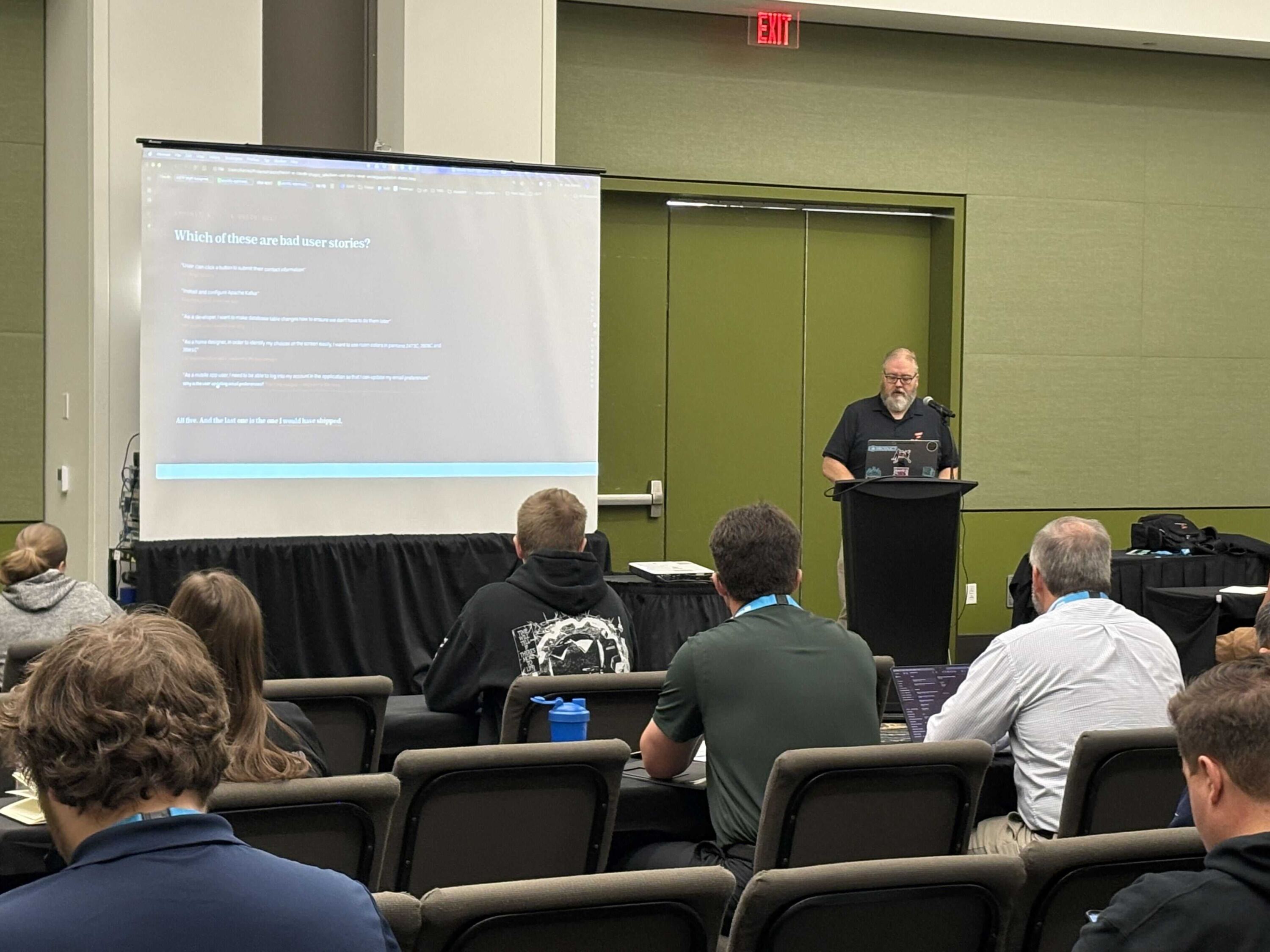
I often hear that product managers don’t have enough time to do proper discovery- the work of understanding users and their problems before deciding what to build- and I’ve said it myself, including to a room at Tech Fuse Des Moines.
This post is for product managers, and the leaders who depend on them, who feel buried in user stories, tickets, and requirements while the conversations with real users keep getting pushed to next week. What I found over the last year is that I was spending that time on paperwork.
The key takeaway
You get discovery time back by writing down what “good” looks like for the documents you produce every week, so AI can handle that paperwork consistently, and then spending the time you get back with the people who live the problem.
Speeding up product discovery
What changes when you write down what good looks like?
Here’s what we’ve found works, and what this post covers:
Delegating without a definition gets you inconsistent results. Asking AI to “write me a user story” produces something different every time, because it has nothing to measure “good” against.
A skill fixes that. A skill is a short, reusable file that tells an AI tool what a good document looks like, including a template, a good example and a bad example.
Start with the document you write most. For me that was user stories, then scenarios and PRDs.
Use the PRD to check in with users. A product requirements document (PRD) drafted from a discovery transcript becomes the agenda for validating the problem with users, and then living documentation for the AI agents that build from it.
Spend the reclaimed time on discovery and options.
Why delegating to AI gave me inconsistent results
My last year with AI went through 4 stages. I started by asking a chatbot questions, then fed it my data and asked for summaries, which saved real time but produced work I threw away as soon as I was done.
Then I started delegating actual work: “write me a user story for this feature,” with a little basic information. Sometimes the result was great, but oftentimes it led to inconsistent results. It wasn’t a hallucination problem; it was a clarity problem. Large language models guess by default, and I had never shown it what I think is right.
Think of it like onboarding a new hire who is fast and capable but has never seen how your team works. You wouldn’t hand that person a one-line request and expect your team’s standards back; you’d show them what good looks like, and what you’d send back. I just hadn’t done that for the AI.
What an AI skill is, and why it changes the output
I’d known for years what a good user story looked like, but I’d gotten lazy about writing them well, because my team and I talked through what needed to be built. Now that AI writes more of the code, you have to tell it what to build without the conversations.
A skill is that onboarding, written down once. Skills follow an open format that a growing number of AI tools can read, and most major assistants have an equivalent. My user story skill holds the principles we use for thin vertical slices, where every story delivers something a real user can do end to end. It also holds bad examples, like “As a developer, I want…,” the kind of story that quietly lets a backlog drift away from user value.
I wrote my first skill in March and have written 7 since. Each took a few hours to get right and still needs upkeep. As how my team works changes, I update my skills, and keeping them in GitHub shows that history.
Here’s the test I gave the room: “As a mobile app user, I need to be able to log into my account in the application so that I can update my email preferences.” It’s better than most but not really good, because nobody knows why that user is updating their email preferences. That’s the real goal, and a good skill asks about it every time.
How to turn a discovery transcript into a PRD with AI
I avoided writing Product Requirements Documents (PRDs) for a long time, because years ago, as a business analyst, I wrote a lot of requirements that nobody read. I’ve found a new purpose for them.
Now I record discovery sessions with customers, with their permission, because I take horrible notes and can barely read my own handwriting. That lets me actually listen to what they do, why they do it, and where their process breaks down.
Then I run the transcript through my PRD skill. It writes the document in the structure I want, adds success metrics, and surfaces edge cases I may not have thought of. Anything that was not decided in the discovery session becomes an open question with an owner, never a guess.
The skill itself is the main safeguard against generic AI output, because it defines what good looks like. As a second check, 3 reviewer persona agents- a product manager, a UX designer, and a technical lead- review the PRD for gaps.
Next, I walk the customer through the PRD to confirm I understand their problems, and the open questions become the meeting agenda. The skill does the typing, and the meeting does the thinking.
As the system gets built, we keep the PRD current, with a change log of answered questions and decisions. I used to think that was optional; it’s absolutely necessary now, because the AI agents writing code need to know where we’re going, what’s been done already, and why.
AI-assisted product discovery with a real client
With one client, we were building a data warehouse for reporting, and two discovery sessions kept circling back to the same thing. The real challenge resided in the missing master data that made reporting difficult. Master data is the shared list everything else depends on, and here it lived in a single spreadsheet of hundreds of farm sites that about 6 other systems copied by hand, each drifting on its own schedule.
The PRD from those transcripts proposed one maintained home for that list, and from it came the scenarios, which describe how a person will experience the software from start to finish, and then the user stories. Remember requirements traceability from the early 2000s? It was painful; now every story traces back to a requirement, and the conversation it came from, and the stories are automatically created in my backlog management tool.
The judgment still stays with me. One of the first stories the skill produced began, “As a site requester, in order to answer questions about a site without opening the grower list workbook…,” and I pushed back: why does that user care about the grower list in the first place?
Asking that question is the part of the job AI doesn’t take, and that feedback loop from user to document and back is what makes the software better
Jon Harcey
Senior Product Manager, Flexion
How to start writing your own product discovery AI skills
You don’t need a big rollout to try this:
Pick the document you’re tired of writing. Not your strategy; your paperwork.
Have the AI interview you until it can write down what a good one looks like. In Claude, the built-in skill creator does this.
Write down what good looks like: a template, a good example, and a bad example.
Share it with your team, then go do discovery. Don’t build it alone in a black box; the people who receive your documents know best what they need from them.
What product teams gain when AI handles the paperwork
I realized how much of my time was consumed by paperwork. Once AI took on that paperwork, the way a well-onboarded new hire frees up a whole team, I got to keep the product work: understanding the problem, proposing options, and owning the decision. My user stories got better once I stopped writing them, and that leaves room for the conversations with customers that I like most.
When you’re ready to take it further across a team, our work on AI enablement picks up where your first skill leaves off.
By Jon Harcey
(Senior Product Manager, Flexion)
Jon is a Senior Product Manager at Flexion with 20 years of experience turning ambiguous problems into software people actually want to use. Rooted in business analysis, he has worked across financial services, agriculture, and civic technology, and is now focused on what happens when AI joins the team as a genuine collaborator in product management.